


If you’ve ever typed “How do I know if my Hyundai has Bluelink®” into a search bar, you’ve landed in the right place. The team at Jerry V’s Honolulu Hyundai gets this question often from drivers who want to take full advantage of their vehicle’s technology but aren’t sure where to start. Here’s a simple breakdown of how to find out.
Three Easy Ways to Check
The quickest way is to look at your rearview mirror. If you see a dedicated Bluelink® button, your Hyundai has the feature. You can also check your infotainment screen for a Bluelink® icon or a menu labeled “Connected Car” or “Telematics.” If neither gives you a clear answer, check your owner’s manual in the connectivity or telematics section.
Still not sure? Enter your VIN at owners.hyundaiusa.com and the portal will confirm whether Bluelink® is available on your specific vehicle.
Which Hyundais Have It?
Bluelink® has been available on most Hyundai models since 2012, starting with the Hyundai Sonata. If you drive a 2024 or newer model, the updated Bluelink+ comes standard across the full lineup, including the Hyundai Tucson, Hyundai Palisade, Hyundai Santa Fe, Hyundai Elantra, and Hyundai Kona.
What Can It Do for You?
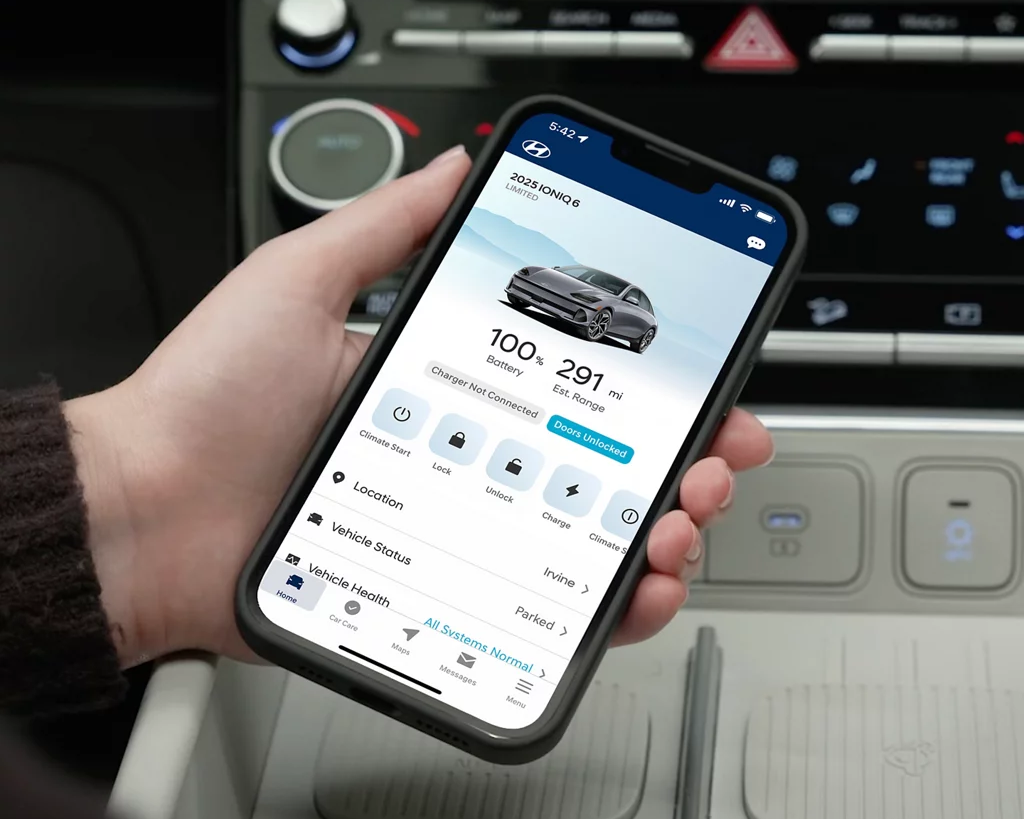
Once confirmed, Bluelink® lets you remote start your vehicle, control the climate before you get in, lock and unlock your doors, locate your car, check vehicle health reports, and access emergency roadside assistance, all from the MyHyundai app on your phone.
How Do I Know If My Hyundai Has Bluelink®? Ask Us!
If you’re still not sure whether your Hyundai is equipped or how to activate it, stop by and let the team at Jerry V’s Honolulu Hyundai walk you through it. Whether you just bought your vehicle or have been driving it for years, getting Bluelink® set up is easier than you might think. The team is here to help you get connected and make the most of everything your Hyundai has to offer.
Connect with us


Jerry V's Honolulu Hyundai
Address
2999 North Nimitz Highway
Honolulu, HI 96819
Phone
- Sales, Service, Parts & Finance 808-426-7770
| Monday | 9:00AM - 8:00PM |
| Tuesday | 9:00AM - 8:00PM |
| Wednesday | 9:00AM - 8:00PM |
| Thursday | 9:00AM - 8:00PM |
| Friday | 9:00AM - 8:00PM |
| Saturday | 9:00AM - 8:00PM |
| Sunday | 10:00AM - 6:00PM |
| Monday | 7:00AM - 5:00PM |
| Tuesday | 7:00AM - 5:00PM |
| Wednesday | 7:00AM - 5:00PM |
| Thursday | 7:00AM - 5:00PM |
| Friday | 7:00AM - 5:00PM |
| Saturday | 7:00AM - 5:00PM |
| Sunday | Closed |
| Monday | 8:00AM - 5:00PM |
| Tuesday | 8:00AM - 5:00PM |
| Wednesday | 8:00AM - 5:00PM |
| Thursday | 8:00AM - 5:00PM |
| Friday | 8:00AM - 5:00PM |
| Saturday | 8:00AM - 5:00PM |
| Sunday | Closed |
